
A headphone splitter (or earphone splitter, or audio splitter) is the classic way to share sound from one device with two people. On a PC or laptop it mostly works as you’d expect, with a few catches: mics, USB-C laptops, and anything wireless. This guide covers what to buy, what doesn’t work, and when a software splitter makes more sense than a cable.
How a headphone splitter works
A splitter is a short Y-shaped cable: one 3.5 mm plug goes into your PC, and two 3.5 mm sockets take two pairs of headphones. It’s passive, so the same electrical signal goes to both pairs. That means:
- Perfect sync: both pairs hear everything at exactly the same moment.
- One volume: the PC’s volume controls both pairs together.
- Shared power: the headphone output now drives two pairs, so both can get a little quieter.
Which splitter to buy
| Your headphones | Your PC | What you need |
|---|---|---|
| Two wired, 3.5 mm | Has a 3.5 mm jack | A simple 3.5 mm stereo Y-splitter |
| Two wired, 3.5 mm | USB-C only | USB-C to 3.5 mm adapter + Y-splitter |
| Two headsets with mics (one plug each) | Combo jack | Headset splitter (4-pole/TRRS); mics may not both work |
| Old PC headsets (green + pink plugs) | Separate jacks | Two Y-splitters, one for headphones, one for mics |
| Bluetooth, AirPods, USB | Any | No cable can help; use software or a Bluetooth transmitter |
Plugs have bands on them. A 3-band plug (TRS) is stereo headphones only, and a 4-band plug (TRRS) adds a microphone. Mixing the two through the wrong adapter is the usual cause of “sound in one ear” or missing vocals. See audio only in one ear.
What a splitter can’t do
- Separate volumes. If one person’s headphones are louder, there’s no way to turn just them down. Some splitters have a volume wheel per socket, which helps.
- USB headsets, Bluetooth headphones or AirPods. They don’t plug into the jack, so a cable can’t share sound with them.
- Two microphones. Most apps listen to one mic, and two mics on one jack rarely work cleanly.
- Mixing wired and wireless. One person on cable and one on Bluetooth needs software.
The software headphone splitter
A software audio splitter does the same job inside Windows: it captures your PC’s sound once and plays it on several outputs at the same time. Because it works on whatever Windows sees as an output, it handles USB headsets, Bluetooth headphones, AirPods, speakers and monitors, and usually gives each its own volume.
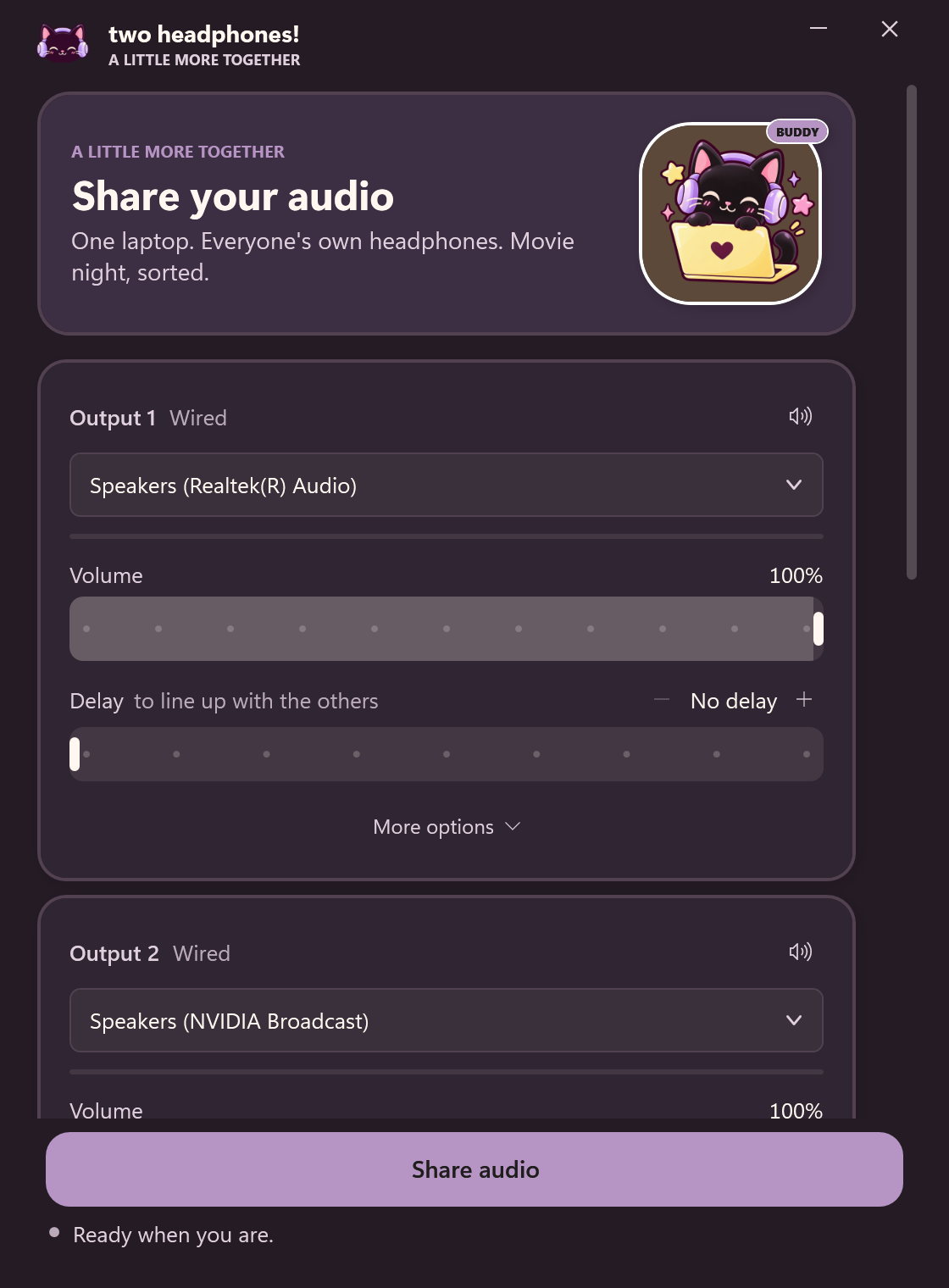
Free options exist: Stereo Mix (two devices, driver-dependent) and Voicemeeter (more setup). Or the one-click option:
Bluetooth audio splitters: hardware vs software
There are two ways to “split” to Bluetooth headphones:
- A Bluetooth transmitter with dual link: a small box that plugs into the headphone jack or USB, and pairs with two Bluetooth headphones itself. Handy for TVs and in-flight entertainment, where you can’t install software.
- Software on the PC: pair both headphones with Windows and play to both. Nothing to buy or charge, and you get separate volume and delay. See connect two Bluetooth headphones to a laptop.
Windows 11 has also started rolling out Shared audio, which plays to two Bluetooth headsets at once, but only when the PC and both headsets support Bluetooth LE Audio. At launch it’s limited to select Copilot+ PCs.
Cable or software: which should you use?
| Splitter cable | Software splitter | |
|---|---|---|
| Wired 3.5 mm | Yes | Yes (as one output) |
| USB / Bluetooth / AirPods | No | Yes |
| Separate volumes | No (some have wheels) | Yes |
| Sync | Perfect | Adjustable delay per device |
| Max listeners | 2 per splitter | Up to 4 (Two Headphones) |
| Cost | A few dollars | Free–$10 |
Rule of thumb: two wired headphones and similar volumes? A cable is perfect. Anything wireless, a mix of devices, or someone who likes it louder? Use software.